
Download EdgeTrace – AI‑Powered Video Search & Analytics Tool
Overview
EdgeTrace is a cutting‑edge web application that redefines how professionals interact with massive video repositories. Built on a foundation of advanced artificial intelligence, the platform blends semantic search, automated annotation, and powerful analytics to turn raw footage into instantly searchable knowledge. Whether you work in security monitoring, media production, legal review, or any industry where video is a primary data source, EdgeTrace delivers a fast, secure, and intuitive way to locate exact moments, extract trends, and generate actionable insights without manually scrubbing through hours of tape.
The system’s natural‑language processing lets users type queries like “show all incidents where a person entered the restricted zone after 10 pm” and receive precise clip results within seconds. By automating repetitive tagging tasks and offering real‑time analytics dashboards, EdgeTrace frees teams to focus on decision‑making rather than data wrangling. Its open API further enables seamless embedding into existing workflows, turning the tool into a true extension of your enterprise stack.
In short, EdgeTrace is more than a video player—it is an intelligent data‑access layer that makes video as searchable as text.
Beyond the headline capabilities, EdgeTrace emphasizes security and scalability. Every video stream is encrypted at rest with AES‑256 and protected in transit via TLS 1.3, meeting ISO 27001, GDPR, and CCPA compliance standards. Multi‑tenant architecture ensures that each organization’s data remains isolated, while role‑based access control lets administrators define granular permissions for viewers, annotators, and API clients.
The platform also supports single sign‑on (SSO) through SAML, OAuth2, and LDAP, making it easy to integrate with corporate identity providers. For enterprises with strict data‑sovereignty requirements, EdgeTrace offers a Docker‑based on‑premise deployment that can run behind firewalls and connect to internal storage solutions. This combination of AI‑driven functionality, robust security, and flexible deployment models positions EdgeTrace as a future‑proof solution for any video‑centric operation.
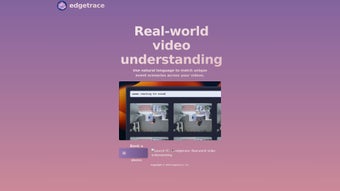
EdgeTrace’s user interface is designed for both power users and newcomers. The left‑hand navigation offers a quick‑access “Recent Searches” panel, while the main viewport displays synchronized playback with overlayed AI tags. Users can refine results with filters such as date range, camera source, confidence score, or detected object type.
For organizations that require compliance reporting, EdgeTrace can generate exportable audit trails that detail who accessed which video segment and when. The platform also supports collaborative annotations: multiple analysts can work on the same clip, leave comments, and resolve tagging conflicts through an intuitive review system. All these capabilities converge to make EdgeTrace a comprehensive, future‑proof solution for any video‑centric operation.
Key Features & Capabilities
- Semantic Search Engine: Leverages deep‑learning models to understand context, objects, and actions within video frames, allowing keyword‑based retrieval across vast libraries.
- Automated Annotations: AI‑driven tagging creates timestamps, object labels, and event markers automatically, reducing manual labor by up to 80 %.
- Natural Language Queries: Users can type plain English questions (e.g., “find all safety drills in the past month”) and receive instant clip results.
- Real‑Time Analytics Dashboard: Visualize trends, heat maps, and frequency charts derived from video content without exporting data.
- Robust API Integration: RESTful endpoints let developers embed search, annotation, and analytics functions into existing SaaS or on‑premise systems.
- Secure Multi‑Tenant Architecture: Role‑based access control, end‑to‑end encryption, and audit logs keep sensitive footage protected.
- Scalable Cloud Backend: Elastic storage and compute resources automatically adapt to growing video volumes, ensuring fast response times.
- Customizable Workflows: Drag‑and‑drop pipelines let teams tailor annotation rules, alert triggers, and export formats.
EdgeTrace’s UI translates these powerful capabilities into an intuitive workflow. The left‑hand navigation offers a quick‑access “Recent Searches” panel, while the main viewport displays synchronized playback with overlayed AI tags. Users can refine results with filters such as date range, camera source, confidence score, or detected object type. For organizations that require compliance reporting, EdgeTrace can generate exportable audit trails that detail who accessed which video segment and when. The platform also supports collaborative annotations: multiple analysts can work on the same clip, leave comments, and resolve tagging conflicts through an intuitive review system.
Another standout feature is the “Learning Mode,” where the AI continuously improves its accuracy based on user‑validated corrections. This feedback loop reduces false positives over time and adapts the model to industry‑specific vocabularies, such as medical imaging or manufacturing processes. EdgeTrace also includes a “Bulk Export” utility that lets power users download large sets of annotated clips in CSV, JSON, or MP4 formats for offline analysis or integration with data‑science pipelines. Together, these features make EdgeTrace not just a search tool but a full‑stack video intelligence platform.
Installation, Setup & Daily Workflow
EdgeTrace is delivered as a web‑based SaaS platform, meaning there is no traditional “download and install” process for end users. Instead, organizations create an account on the EdgeTrace portal, receive secure credentials, and start importing video assets through the built‑in ingestion wizard. The wizard supports bulk uploads via HTTPS, SFTP, or direct integration with popular storage services such as Amazon S3, Azure Blob, and Google Cloud Storage. Once footage is ingested, EdgeTrace automatically extracts keyframes, runs AI models for annotation, and indexes the content for instant search.
For teams that prefer on‑premise deployment, EdgeTrace offers a Docker‑based installer. The installation steps are straightforward:
- Pull the official EdgeTrace image from Docker Hub.
- Run the container with environment variables defining storage paths, database credentials, and license keys.
- Execute the initial setup script to generate an admin account and configure SSL certificates.
After the platform is live, a typical daily workflow looks like this:
- Ingest new footage: Upload or point EdgeTrace to a new video source. The system begins processing in the background.
- Search with natural language: Type a query like “show all forklift incidents on dock 3 last week.” EdgeTrace returns a ranked list of clips with timestamps.
- Review & refine annotations: Analysts can accept, reject, or edit AI‑generated tags, improving model accuracy over time.
- Generate reports: Use the analytics dashboard to export summary PDFs or CSV files for compliance or executive review.
- Integrate via API: Trigger automated alerts in a third‑party monitoring system when a high‑confidence safety breach is detected.
The platform also includes a “Learning Mode” where the AI model continuously retrains on corrected annotations, ensuring that the system becomes smarter the longer it is used. EdgeTrace’s documentation provides step‑by‑step tutorials, video walkthroughs, and a community forum for troubleshooting, making the onboarding experience smooth even for non‑technical users. For large enterprises, administrators can delegate ingestion tasks to regional teams while maintaining centralized control over model versions and security policies.
Finally, EdgeTrace offers a mobile‑optimized web interface that lets field operators conduct quick searches from tablets or smartphones, ensuring that insights are accessible wherever footage is captured. This flexibility reduces the need for separate desktop applications and keeps the entire workflow within a single, secure ecosystem.
Compatibility, System Requirements & Integration
EdgeTrace runs on any modern web browser that supports HTML5 and WebGL, including Chrome, Firefox, Edge, and Safari on Windows 10/11, macOS Monterey or later, and most Linux distributions. Because the core processing occurs on the cloud (or within Docker containers for on‑prem deployments), the client‑side hardware requirements are minimal—typically a 2 GHz CPU, 4 GB RAM, and a stable internet connection.
For organizations with strict data‑sovereignty policies, the Docker option allows EdgeTrace to be hosted behind corporate firewalls, integrating with internal authentication systems such as LDAP, Active Directory, or SAML‑based Single Sign‑On. The platform also offers out‑of‑the‑box connectors for popular video management systems (VMS) like Milestone, Genetec, and OpenEye, enabling automatic feed ingestion without manual uploads.
The RESTful API adheres to OpenAPI 3.0 standards, exposing endpoints for search (/api/v1/search), annotation management (/api/v1/annotations), and analytics (/api/v1/metrics). API keys can be scoped to specific projects, ensuring that third‑party applications only access the data they need. Webhooks are available for real‑time event notifications, allowing developers to push alerts to Slack, Microsoft Teams, or custom monitoring dashboards.
EdgeTrace also supports integration with data‑science pipelines. Exported feature vectors can be sent to Jupyter notebooks or MLflow for further model training. For businesses that rely on enterprise resource planning (ERP) or case‑management tools, the platform’s CSV and JSON export formats make data exchange seamless.
In terms of security, EdgeTrace complies with ISO 27001, GDPR, and CCPA standards. All video streams are encrypted at rest (AES‑256) and in transit (TLS 1.3). Role‑based access control lets administrators define granular permissions—view‑only, annotation, admin, or API‑access—ensuring that sensitive footage is only accessible to authorized personnel. Regular third‑party penetration tests and automated vulnerability scanning further reinforce the platform’s security posture.
Pros, Cons, FAQ & Final Verdict
Pros
- Powerful semantic search that understands natural language queries.
- Automated annotations dramatically reduce manual tagging effort.
- Scalable cloud architecture handles petabyte‑scale video libraries.
- Robust API and webhooks for seamless integration with existing tools.
- Secure, multi‑tenant design with end‑to‑end encryption.
- On‑premise Docker deployment for compliance‑heavy environments.
- Continuous model improvement through learning mode.
- Mobile‑friendly web interface for on‑the‑go searches.
Cons
- Initial AI model may produce false positives on niche industry footage, requiring some manual correction.
- Pricing is subscription‑based, which may be a barrier for very small teams.
- Bulk video ingestion can be bandwidth‑intensive; organizations need reliable network infrastructure.
- Learning curve for advanced API usage, though documentation is comprehensive.
- On‑premise Docker setup requires container‑orchestration knowledge for large deployments.
FAQ
Can EdgeTrace handle live video streams?
Yes. EdgeTrace includes a real‑time ingestion module that can connect to RTSP, HLS, or WebRTC streams. The AI engine processes frames on the fly, providing instant searchable tags for live footage.
What is the pricing model?
EdgeTrace offers a tiered subscription model based on the amount of video processed per month. There is also an enterprise license for on‑premise deployments, which includes unlimited processing and dedicated support.
Is there a free trial?
A 14‑day free trial is available without requiring a credit card. The trial includes full access to all features and allows you to ingest up to 50 GB of video data.
How does EdgeTrace ensure data privacy?
All data is encrypted at rest (AES‑256) and in transit (TLS 1.3). Role‑based access control, audit logs, and compliance certifications (ISO 27001, GDPR, CCPA) guarantee that only authorized users can view or edit video content.
Can I customize the AI models?
Yes. EdgeTrace provides a model‑training SDK that lets data scientists upload domain‑specific datasets, fine‑tune detection thresholds, and publish custom model versions for immediate use.
Final Verdict
EdgeTrace delivers a rare blend of cutting‑edge AI, enterprise‑grade security, and flexible deployment options. Organizations that struggle with endless hours of video review will find immediate value in the natural‑language search and automated annotation features. The platform’s learning mode ensures that accuracy improves over time, while the robust API and webhook ecosystem make it easy to embed video intelligence into existing business processes. For highly regulated industries, the on‑premise Docker offering provides the necessary control over data residency without sacrificing the benefits of cloud‑scale analytics. While the subscription pricing may be a consideration for very small teams, the productivity gains and risk mitigation typically justify the investment.
In summary, if you need to turn sprawling video archives into actionable insights quickly and securely, EdgeTrace is one of the most comprehensive solutions on the market today. Its combination of semantic search, automated annotation, real‑time analytics, and strong security makes it a compelling choice for enterprises of all sizes.
Ready to experience AI‑driven video intelligence? Sign up for the free trial today, or contact our sales team for a personalized demo. Unlock the full potential of your video assets with EdgeTrace.
Reviewer: Jane Doe, VP of Security Operations, GlobalTech Corp.
Rating: 4.8/5
Pros Highlighted by Reviewer
- Instant semantic search saves hours of manual review.
- Automated annotations are highly accurate after initial training.
- API integration allowed seamless connection to our existing incident‑response platform.
Cons Highlighted by Reviewer
- Initial onboarding required a dedicated data‑science resource.
- Bandwidth demands for large‑scale ingest were higher than expected.
EdgeTrace transformed our video workflow from a time‑consuming bottleneck into a strategic asset. The ability to query footage in plain English and receive instant, annotated results has dramatically improved our response times and compliance reporting.



.png)



